Appointment Waitlist Template for Service Businesses
Use this appointment waitlist template to collect waitlist requests, set expectations, prioritize openings, and fill cancelled slots without confusion.
On this page
An appointment waitlist helps a service business capture demand when a client cannot find the right time. Instead of losing that client to a message thread, a missed call, or a competitor, the business collects the important details and has a clear list to contact when a slot opens.
A useful waitlist is not just a box that says join the waitlist. It should explain what the client is waiting for, what details the business needs, how contact will happen, and whether joining the waitlist guarantees anything. The best version is simple for the client and practical for the team that has to follow up.
Use this appointment waitlist template as a copy-and-edit starting point for salons, barbers, clinics, mobile services, restaurants, classes, rentals, consultants, trades, home visits, and other appointment-led businesses.
What is an appointment waitlist?
An appointment waitlist is a list of clients who want a service, date, staff member, class place, rental window, table, consultation, or visit time that is not currently available. When availability changes, the business can contact the right people instead of trying to remember who asked first.
A waitlist usually collects:
- Client name.
- Email address.
- Optional phone number.
- The service, class, table, visit, rental, or appointment type.
- Preferred date or time window.
- Staff member, location, or resource preference where relevant.
- Notes about flexibility, urgency, group size, access, or preparation.
A waitlist does not need to be complicated. For many small businesses, it starts as a short form on the booking page and a dashboard list for follow-up.
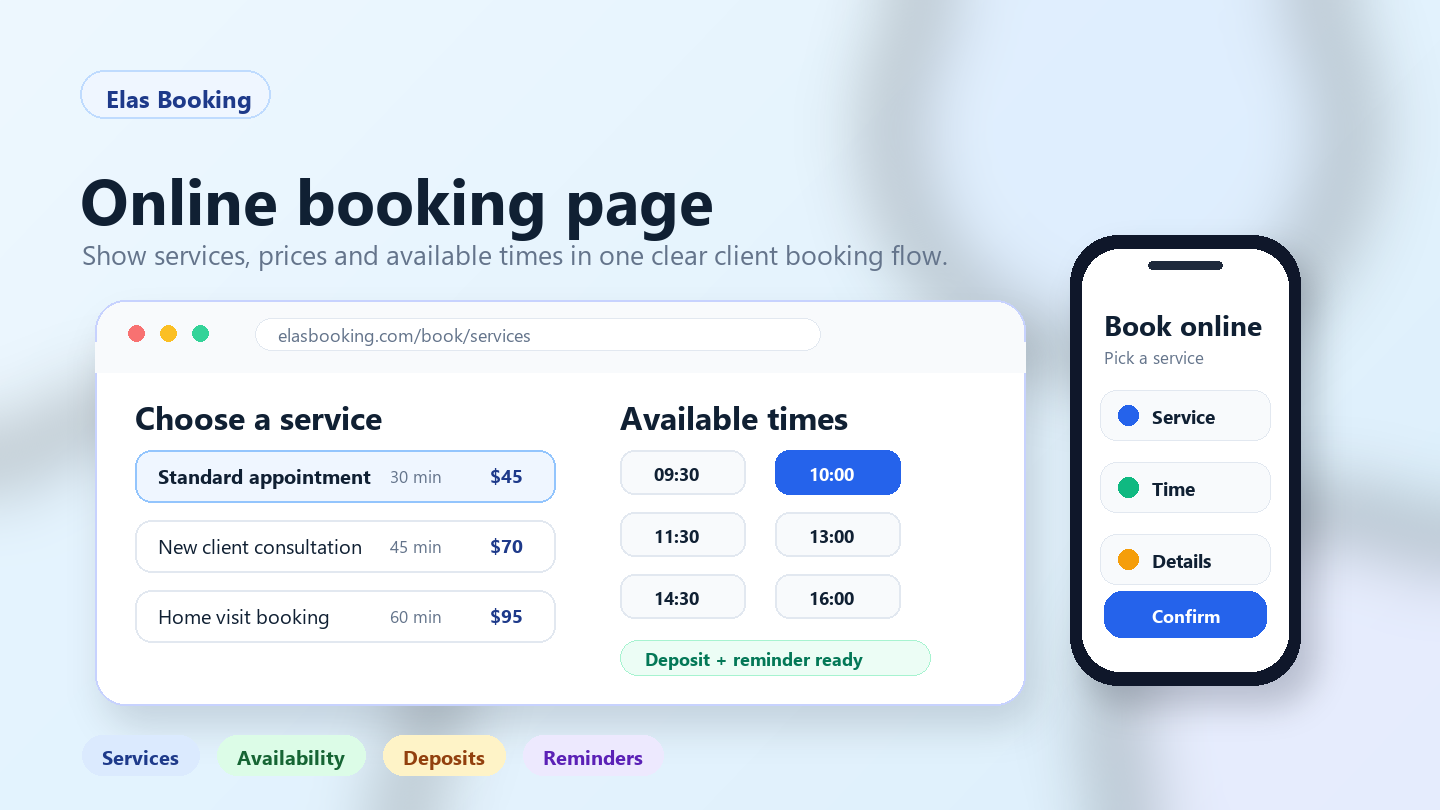
If you are still planning the main booking flow, build that first with the online booking page checklist for small businesses. A waitlist works best when service names, durations, prices, availability, deposits, reminders, and cancellation rules are already clear.
When should a service business use a waitlist?
Use a waitlist when clients regularly want a time, service, staff member, table, class, or rental window that is unavailable today but may open later.
Common examples include:
- A salon client wants a Saturday haircut with a specific stylist.
- A mobile beauty client wants an event date that is almost full.
- A clinic patient wants the next cancelled appointment.
- A tutor has a popular after-school time.
- A fitness class has limited places.
- A restaurant has no suitable table at the preferred time.
- A trades business is fully booked for non-urgent callouts.
- A rental business has no equipment available for the preferred window.
- A consultant has no discovery-call slots this week.
A waitlist is most useful when availability changes often because of cancellations, reschedules, weather, staff changes, extra capacity, no-shows, or clients moving appointments.
Do not use a waitlist as a substitute for honest availability. If a service is not offered, a staff member is not available, or the business cannot take more work, say that clearly. A waitlist should capture realistic demand, not promise appointments the business cannot provide.
Copy-and-edit appointment waitlist template
Use this wording on the booking page when a client cannot find a suitable time:
Cannot find the time you need? Join our waitlist and tell us your preferred date, time, service, and how flexible you can be. We will contact you if a suitable slot opens. Joining the waitlist does not confirm an appointment, and availability is offered based on service fit, timing, staff availability, and the order we review requests.
Shorter version for a busy booking page:
No suitable time available? Leave your details and we will contact you if a slot opens for this service.
Friendly version for small local businesses:
We are sorry your preferred time is not available. Add your details to the waitlist and tell us what would work for you. If something opens, we will get in touch.
Firm version for limited-capacity or high-demand services:
Waitlist requests are reviewed when a place, slot, table, or appointment becomes available. Joining the waitlist does not reserve a space. We will contact suitable requests in order of availability, service fit, and response time.
The wording should match how the business actually handles openings. If the business calls the first person who joined, say that. If the business reviews urgency, route fit, staff skill, party size, or deposit readiness, do not pretend it is strictly first come, first served.
What should your waitlist form ask?
A waitlist form should collect enough detail to make follow-up useful, but not so much that clients abandon it. Start with the smallest version that helps the business act.
A practical appointment waitlist form can ask:
1. Full name Required so the team knows who to contact.
2. Email address Required for follow-up and confirmation.
3. Phone number Optional unless phone contact is the fastest way to fill openings.
4. Preferred date or time window Let the client explain what they wanted when the normal booking page did not work.
5. Service or appointment type This should usually come from the service the client was viewing.
6. Flexibility notes Ask whether mornings, afternoons, weekdays, weekends, specific staff, alternative locations, or shorter-notice openings could work.
7. Important context Keep this short. Examples include group size, address area, access notes, urgency, table size, rental duration, or class level.
Inside Elas Booking, the public booking page includes a waitlist form on the time selection step. Clients can leave a preferred date, name, email, optional phone number, and notes. The business can review waitlist requests in the dashboard, filter them, and update each request as open, contacted, or closed.
Set expectations before clients join
A waitlist can create frustration if the client thinks it is a hidden booking. Make the expectation visible before they submit the form.
Your waitlist wording should answer:
- Does joining the waitlist reserve a slot?
- How will the business contact the client?
- Does the client need to respond quickly?
- Are requests handled in order or reviewed manually?
- What details make a request easier to match?
- When should the client book a different available time instead?
Example wording:
Waitlist requests are not confirmed bookings. If a suitable slot opens, we will contact you using the details you provide. The appointment is only confirmed after we agree the time and send a booking confirmation.
For appointments that use payments or deposits, add a payment expectation:
If the opened slot requires a deposit or prepayment, we will explain the payment step before confirming the booking.
Keep this wording consistent with your appointment confirmation email template, appointment reminder templates, and appointment cancellation policy template. Clients should not see one rule on the waitlist and a different rule after they are contacted.
How to prioritize waitlist requests
A small business may not always choose the oldest request first. The best match can depend on service type, staff, route, party size, urgency, payment readiness, or how quickly the client replies.
Choose a rule before the first busy period. Common approaches include:
- First suitable request: contact the earliest person who matches the opening.
- Exact match first: prioritize clients whose preferred service, date, staff member, or time matches the opening.
- Flexible clients first: useful when you need to fill a cancellation quickly.
- High-value or long appointment review: useful for event work, mobile services, rentals, premium services, or multi-hour bookings.
- Route-based review: useful for home visits, trades, cleaning, care, mobile beauty, and outdoor services.
- Class or capacity order: useful for classes, workshops, tables, places, seats, and ticketed services.
Write the rule in plain language. You do not need to explain every internal detail, but clients should understand that the waitlist is reviewed based on availability and service fit.
Example:
When a slot opens, we check waitlist requests that match the service, staff member, date, and time. If more than one request fits, we normally contact the earliest suitable request first.
Waitlist examples by business type
Different service businesses need different waitlist wording. Use the examples below as starting points.
Salon, barber, spa, or beauty appointments
Beauty and wellness businesses often use waitlists for peak evenings, weekends, specific staff, colour appointments, treatments, bridal trials, or last-minute cancellations.
Example wording:
If your preferred stylist, therapist, or appointment time is fully booked, join the waitlist and tell us which dates or times could work. We will contact you if a suitable appointment opens. Your booking is only confirmed after we agree the new time.
Useful notes to ask:
- Preferred staff member.
- Service type.
- Earliest and latest arrival time.
- Whether a different staff member could work.
- Whether short-notice openings are acceptable.
If high-value services need deposits, connect waitlist follow-up to the appointment deposit policy template so clients know whether a payment is needed to secure the opened slot.
Classes, workshops, fitness, and group sessions
Classes and group sessions need clear capacity rules. A waitlist can help fill a place when someone cancels, but the client must know that joining does not guarantee a spot.
Example wording:
This class is currently full. Join the waitlist and we will contact you if a place becomes available. Places are offered based on the session, level, capacity, and response time. Your place is not confirmed until you receive a confirmation.
Useful notes to ask:
- Class or session name.
- Preferred date.
- Number of places needed.
- Experience level if the class has levels.
- Whether another session would work.
For group services, make sure your booking service menu template separates one-to-one appointments, classes, ticketed places, assigned seating, and workshops clearly.
Restaurants, private dining, and hospitality
Restaurant and hospitality waitlists often depend on party size, seating time, table type, and how quickly the guest can arrive.
Example wording:
No table available at your preferred time? Join the waitlist with your party size, preferred time, and contact details. If a suitable table opens, we will contact you. The table is only held after we confirm it with you.
Useful notes to ask:
- Party size.
- Preferred time window.
- Indoor, outdoor, bar, private dining, or accessibility needs.
- Whether the guest can arrive at short notice.
- Special occasion notes only where useful.
For more hospitality booking examples, see the online booking system for restaurant reservations.
Mobile services, home visits, and care work
Mobile and home-visit waitlists need address or area context because an opening may only make sense if the route works.
Example wording:
If your preferred home-visit time is not available, join the waitlist and include your area, preferred dates, and any access or parking details that affect the visit. We will contact you if a suitable route or appointment slot opens.
Useful notes to ask:
- Town, postcode, neighbourhood, or service area.
- Access, parking, stairs, lift, gate, key, or pet notes.
- Preferred date or time window.
- How flexible the client can be.
- Whether the visit is urgent or routine.
Pair this with a clear service area policy template so the client understands where the business can travel before joining the waitlist.
Trades, repair, and diagnostic callouts
Trades waitlists are often about urgency, job type, travel area, access, and whether a cancellation slot can be used safely.
Example wording:
We are fully booked for this callout type right now. Join the waitlist with your issue, area, access notes, and preferred dates. We will contact suitable requests if a diagnostic or repair slot opens. Emergency work may need a separate phone call.
Useful notes to ask:
- Job type and short issue description.
- Address area.
- Urgency.
- Site contact or access limits.
- Whether a quote visit, diagnostic visit, or repair visit is needed.
For callout setup, the trades and callout booking guides cover related workflows for job details, deposits, service areas, and follow-up visits.
Rentals, equipment, venues, and limited inventory
Rental waitlists need exact timing, item type, handover details, and alternatives. One item becoming available may not help if the client needed a different date or size.
Example wording:
This rental window is not available. Join the waitlist with your preferred start time, return time, item type, and any alternatives that would work. We will contact you if suitable inventory becomes available.
Useful notes to ask:
- Rental item, resource, room, seat, or package.
- Start and return time.
- Required quantity.
- Pickup, delivery, or handover needs.
- Whether a smaller, larger, or alternative item would work.
The rental booking workflows and booking software with deposits hubs cover related rules for availability windows, deposits, and handovers.
How to contact clients when a slot opens
The follow-up message should be short and specific. The client needs to know what opened, how long it can be held, and what action confirms the booking.
Use this template when you have an opening:
Hi [client name], a [service name] appointment has opened with [business name] on [date] at [time]. You joined the waitlist for this type of appointment. If this still works for you, please reply by [deadline/contact method]. The appointment is not confirmed until we confirm it with you.
For a class or group place:
Hi [client name], a place has opened for [class/session] on [date] at [time]. Please reply by [deadline] if you would like the place. We will confirm the booking once we hear back.
For a mobile visit:
Hi [client name], we may have a [service name] slot in your area on [date] at [time/window]. Please confirm whether the address, access, and parking details are still correct. We will confirm the booking after review.
For a rental:
Hi [client name], [item/resource] may be available from [start time] to [return time]. Please reply by [deadline] if you still need it. The booking is only confirmed after we confirm the details and any deposit or handover rule.
Avoid vague messages such as We have availability, are you interested? They create more back-and-forth. Repeat the exact service, date, time, and next step.
Connect waitlists to cancellations and reminders
Waitlists are most useful when they connect to cancellation and reminder workflows.
A good setup has three parts:
1. Clear cancellation rules so clients know how much notice to give. 2. Useful reminders so clients respond before missing the appointment. 3. A waitlist process so the business knows who to contact when a slot opens.
Example workflow:
- A client receives a reminder two days before the appointment.
- The client realizes they cannot attend and cancels early.
- The business checks waitlist requests that match the service, time, staff member, or route.
- The business contacts the best-fit request with a clear deadline.
- The opened slot becomes a confirmed booking only after the client accepts.
This workflow does not guarantee every cancelled slot will be filled, but it gives the business a better chance than relying on memory or scattered messages.
Where to keep waitlist requests
A waitlist should be easy to review during the day. If requests live across email, Instagram, text messages, paper notes, and memory, the team will miss people.
Keep each waitlist request attached to:
- The service or class.
- Preferred date or time.
- Client contact details.
- Notes and flexibility.
- Current status: open, contacted, or closed.
- The date the request was created.
- The staff member, route, location, or resource if relevant.
Inside Elas Booking, waitlist requests appear in the dashboard with service, preferred date, client contact details, staff where relevant, notes, and status. The business can search, filter by service or status, and mark requests as open, contacted, or closed. That keeps waitlist follow-up close to the same workspace used for services, public booking pages, client records, and appointments.
For client context that goes beyond one waitlist request, use client records and booking history to keep contact details and past booking context easier to find.
Common appointment waitlist mistakes
Avoid these mistakes when adding a waitlist to your booking process:
- Making it sound guaranteed: joining a waitlist should not look like a confirmed appointment.
- Collecting too little information:
call me if anything opensis hard to match to a real slot. - Collecting too much information: clients should not complete a long form for an uncertain opening.
- Not saying how contact works: clients need to know whether to watch email, phone, or text.
- No response deadline: an opening may disappear if the business waits all day for one person.
- No status process: requests should move from open to contacted to closed so the team knows what happened.
- Forgetting service fit: a haircut slot may not work for colour; a diagnostic visit may not work for a repair.
- Ignoring route or location: mobile and home-visit businesses need area context.
- Letting stale requests build up: old waitlist entries should be reviewed or closed after they are no longer useful.
- Overpromising automation: if the business manually reviews requests, say that instead of promising automatic matching.
A clear waitlist should reduce admin, not create a second inbox that nobody owns.
Appointment waitlist checklist
Before publishing your waitlist, check that:
- The waitlist wording says it is not a confirmed booking.
- The form asks for name and email.
- Phone number is optional unless urgent contact is needed.
- The service, class, table, rental, or appointment type is captured.
- The client can explain preferred dates, times, and flexibility.
- Mobile or home-visit requests collect area, access, or route details where needed.
- The business has a rule for who gets contacted first.
- Follow-up messages include a response deadline.
- Cancellation and reminder wording matches the waitlist process.
- Staff know where to review open, contacted, and closed requests.
- Old requests are reviewed instead of staying open forever.
- A test request has been submitted before the waitlist is shown to clients.
Where Elas Booking fits
Elas Booking helps service businesses run public online booking pages where clients can choose services, see available times, enter booking details, and request a waitlist follow-up when they cannot find a suitable slot.
For waitlist workflows, Elas Booking supports:
- A waitlist form on the public booking time-selection step.
- Preferred date, client name, email, optional phone, and notes.
- Service-specific waitlist requests.
- Staff context where staff selection is part of the booking flow.
- Dashboard review of waitlist requests.
- Search, service, and status filters.
- Open, contacted, and closed statuses.
- Business notifications for new waitlist requests where notifications are configured.
- Related booking workflows such as service menus, availability, deposits, reminders, intake forms, and client records.
Use the waitlist alongside the rest of the booking setup. If the service menu is unclear, the waitlist will collect unclear requests. If cancellation rules are hidden, openings may appear too late to refill. If reminders are vague, clients may not respond in time. Start with a clear booking page, then add the waitlist as a safety net for demand you cannot fit immediately.
FAQ
Does joining a waitlist confirm an appointment?
No. Joining a waitlist should not confirm an appointment. It only tells the business that the client is interested if a suitable slot opens. The booking should be confirmed separately after the business and client agree the time.
What should a waitlist request include?
A waitlist request should include the client name, email, service or appointment type, preferred date or time, and flexibility notes. Phone number, staff preference, address area, group size, or access notes can be useful depending on the business.
Should waitlist requests be first come, first served?
They can be, but not every business should use a strict first-come rule. A slot may need the right service, staff member, route, class level, party size, rental item, or response time. If the business reviews requests manually, say that clearly.
How long should a business keep a waitlist request open?
Keep a request open while it is still realistic. For a specific date or event, close it after the date passes. For general demand, review old requests regularly and contact the client before assuming they still want the appointment.
Can a waitlist help reduce lost bookings?
A waitlist can help capture demand that might otherwise disappear, especially when cancellations or reschedules happen. It cannot guarantee every opening will be filled, but it gives the business a clearer process than scattered messages or memory.
Should waitlist follow-up use email or phone?
Use the channel that fits the urgency. Email can work for normal openings. Phone or text may be better for same-day cancellations, restaurants, classes, mobile visits, or high-demand appointments where the client must respond quickly. Always match the contact method to your own privacy and communication policy.
Related booking setup guides
Use these guides to build the rest of the workflow around the waitlist:
If you want a booking flow that captures demand when a slot is full, start with a clean service menu, clear availability, helpful reminders, and a waitlist that tells clients exactly what happens next. You can view the Elas Booking demo or start a free trial when you are ready to build it in one workspace.
How this can look for service teams
Use these examples as a starting point for Appointment Waitlist Template for Service Businesses and other professional services booking workflows.
Appointment-led examples
These anonymized scenarios reflect common setup patterns from appointment-led businesses.
A prepared consultation
A client books a meeting, but the business needs context before deciding the right slot, format, and follow-up.
Collect appointment goal, client context, preferred time, meeting format, follow-up need, or preparation note and keep client context attached to the booking.
A limited availability slot
A high-value appointment takes preparation time, so the business needs clear cancellation rules before the calendar is blocked.
Use deposits for high-value appointments, limited consultation slots, or work that needs preparation and send reminders with meeting time, preparation notes, rescheduling rules, and follow-up expectations.
Example booking form
A compact booking form should collect client context and scheduling details before accepting the slot.
Service
Appointment Waitlist Template for Service Businesses consultation
Client context
Appointment goal, client context, preferred time, meeting format, follow-up need, or preparation note
Deposit
Recommended for high-value appointments, limited consultation slots, or work that needs preparation
Reminder
meeting time, preparation notes, rescheduling rules, and follow-up expectations
Deposit setup
Set the amount, refund window, and payment timing for high-value appointments, limited consultation slots, or work that needs preparation so clients understand the commitment before they confirm.
Automatic reminder
Send confirmation and reminder messages with meeting time, preparation notes, rescheduling rules, and follow-up expectations.
Calendar and travel buffer
Add availability rules, intake forms, reminders, and follow-up workflows around the booking so the calendar stays realistic.
Client record
Keep contact details, booking history, client context, forms, and follow-up context attached to the client record.
Booking checklist
- Confirm consultations, client details, availability, reminders, follow-up tasks, and recurring appointments before the slot is booked.
- Collect appointment goal, client context, preferred time, meeting format, follow-up need, or preparation note in the booking form instead of chasing it afterwards.
- Use deposits for high-value appointments, limited consultation slots, or work that needs preparation.
- Send reminders with meeting time, preparation notes, rescheduling rules, and follow-up expectations.
- Protect the calendar with availability rules, intake forms, reminders, and follow-up workflows.
Manual booking vs online booking
Manual booking
Messages, screenshots, payment links, and client context live in separate places.
Online booking
The service, client context, deposit, reminders, and calendar rules stay attached to one booking.
Common mistakes
- Letting clients book appointment waitlist template for service businesses without enough detail.
- Taking deposits for high-value appointments, limited consultation slots, or work that needs preparation without matching them to the booking.
- Sending reminders that miss meeting time, preparation notes, rescheduling rules, and follow-up expectations.
- Leaving availability rules, intake forms, reminders, and follow-up workflows outside the calendar.
When to require a deposit
Use deposits for high-value appointments, limited consultation slots, or work that needs preparation, especially when a late cancellation would create a meaningful loss.
Example cancellation policy
Clients can reschedule up to 24 hours before the booking. Deposits may be retained for late cancellations or no-shows.
Written by Elas Booking team
Written by the Elas Booking team, using product knowledge from appointment scheduling, online payments, reminders, client intake, service areas, and public booking pages for service businesses.
Reviewed by Elas Booking product team
Reviewed for practical accuracy against Elas Booking features including booking pages, deposits, reminders, client records, service menus, and calendar workflows.
Frequently asked questions
Quick answers for this booking workflow.
How do reminders reduce no-shows?
Reminders reduce no-shows by confirming the date, time, preparation notes, and cancellation rules before the booking. They give clients a clear prompt to attend, reschedule, or contact the business.
What should a Appointment Waitlist Template for Service Businesses booking page include?
A strong booking page should include services, duration, price or deposit rules, client questions, cancellation terms, contact details, and any preparation instructions.
Can Appointment Waitlist Template for Service Businesses bookings collect client details?
Yes. Booking forms can collect contact details, appointment notes, addresses, preferences, and other information needed before the service is delivered.
Build a booking page for professional services
Turn this guide into a live booking page with services, reminders, and client details. Start a no-card trial and shape the setup around this kind of service business.