Booking Service Menu Template for Appointment Businesses
Plan service names, durations, prices, deposits, buffers, intake questions, add-ons, and policies before clients book online.
On this page
A booking service menu template helps you plan what clients can book before you build an online booking page. It turns a loose list of offers into clear service names, descriptions, durations, prices, deposits, buffers, intake questions, add-ons, and booking policies.
This matters because most booking problems start before the calendar. If a client cannot tell whether they need a standard appointment, a consultation, a callout, a class, a rental slot, or a premium service, they either choose the wrong option or message you anyway.
Use this service menu template as a practical worksheet for salons, barbers, cleaners, consultants, mobile services, trades and callouts, classes, rentals, home visits, and other appointment-led small businesses. If you are still planning the full public page around the menu, start with the online booking page checklist for small businesses as well.
What is a booking service menu template?
A booking service menu template is a planning document for the services clients can choose when they book online. It is not just a price list. A useful appointment service menu template answers the questions that affect scheduling, payment, preparation, and client expectations.
For each service, it should define:
- Service name: the client-facing name of the appointment, class, visit, rental, or callout.
- Category: the group the service belongs to, such as haircuts, consultations, cleaning, repairs, classes, or rentals.
- Short description: what is included and who the service is for.
- Duration: the time clients see when they book.
- Price or starting price: the amount the client should expect before choosing a time.
- Deposit or payment rule: whether a deposit or online payment is required where configured.
- Buffer time: setup, cleanup, travel, notes, handover, or reset time around the appointment.
- Add-ons: optional extras that belong with the main service.
- Intake questions: the details you need before confirming or preparing.
- Policy notes: cancellation, reschedule, address, preparation, or arrival rules.
- Staff or location rules: which staff can perform the service and where the appointment happens, where relevant.
Think of it as a service list template for small business booking. The goal is to make the online booking service menu clear enough that clients can choose correctly without a long back-and-forth conversation.
Why plan the service menu before setting up booking software?
It is tempting to open a dashboard and start adding services one by one. That often creates a menu that reflects internal notes rather than client decisions.
Planning first helps you avoid:
- Service names that only staff understand.
- Prices that do not match the service description.
- Durations that are too short for the real appointment.
- Deposit rules that are not explained before booking.
- Missing buffers for setup, cleanup, travel, or admin time.
- Add-ons that accidentally attach to the wrong services.
- Intake questions that are too generic or too long.
- Cancellation rules that only appear after the client has booked.
A clear menu also makes later setup easier. Once the worksheet is complete, you can use a step-by-step guide such as how to set up a business service to turn the plan into bookable services.
Copy-and-edit booking service menu template
Use the template below for each bookable service. Keep it short enough that a business owner can fill it out before touching the booking page.
1. Service category
Write the category clients will use to scan the menu.
Examples:
- Haircuts
- Colour consultations
- Home cleaning
- Repair callouts
- Strategy sessions
- Classes
- Rentals
- Mobile visits
Use categories when you have more than a few services. A barber may only need cuts and beard services. A salon may need cuts, colour, treatments, consultations, and bridal services. A cleaning business may need regular cleaning, deep cleaning, move-out cleaning, and quote visits.
2. Client-facing service name
Write the name the client should see on the public booking page.
Good service names are specific:
Standard haircut, 30 minutesNew client colour consultation, 45 minutesDeep home clean, 4 hoursInitial strategy consultation, 60 minutesBoiler diagnostic callout, 60 minutesBeginner class place, 1 sessionWeekend equipment rental handover
Avoid internal names such as Service 1, Package A, Quick job, or Premium option unless clients already understand what those mean.
3. Short service description
Write two to four sentences explaining what is included, who the service is for, and what is not included if clients often assume too much.
Use this format:
- Best for: who should choose this service.
- Includes: the main work, visit, class, rental, or consultation.
- Does not include: anything commonly misunderstood.
- Preparation: what the client should know before booking.
Example:
Best for returning clients who need a standard maintenance appointment. Includes consultation, cut, and finish. Colour, treatment, and extension work are not included. Please book a colour consultation first if you are changing your colour or correcting previous work.
The description should help clients choose the right service before they pick a time.
4. Duration clients will see
Choose the appointment length clients should expect. This is not always the same as the total calendar time your business needs.
Plan:
- Public duration shown to the client.
- Setup time before the appointment.
- Cleanup, notes, or reset time after the appointment.
- Travel or arrival window if the service happens away from your location.
- Whether the appointment regularly runs longer for first-time clients.
Examples:
- A haircut may show 30 minutes and need a 5-minute reset after.
- A consultation may show 60 minutes and need 10 minutes for notes after.
- A home visit may show 90 minutes and need travel or parking time before and after.
- A rental handover may show 20 minutes but need extra time between returns and pickups.
Use buffers for time the business needs but the client does not experience as part of the service itself.
5. Price, starting price, or quote rule
Decide what clients should see before booking.
Common options:
- Fixed price.
- Starting price.
- Price range.
- Free consultation.
- Quote visit.
- Price confirmed after review.
Choose the plainest option that matches how you sell the service. If the price depends on property size, job condition, materials, travel, group size, or rental length, do not hide that uncertainty. Say what is included in the base price and what may change.
Example wording:
From £80 for a standard two-bedroom clean. Larger homes, heavy buildup, oven cleaning, and add-ons may increase the final price. We will confirm any changes before the appointment goes ahead.
Do not use a fixed online price if the business normally needs to review the work before confirming it.
6. Deposit or online payment rule
Decide whether this service needs a deposit, full payment, or no payment before the appointment. Deposits are useful when the appointment uses scarce calendar time, requires preparation, or carries a higher cancellation risk.
Deposits often make sense for:
- Long appointments.
- Event or bridal work.
- Premium services.
- Mobile visits with travel or setup time.
- Diagnostic callouts.
- Rentals or limited-capacity bookings.
- Classes, workshops, or ticketed places.
For lower-risk services, a deposit may add friction without solving much. If you use deposits or online payments, explain the rule before the client confirms. Include the deposit amount, what it holds, when the balance is due, and how the cancellation rule applies.
7. Buffer time before and after
Plan the hidden time around the service so the calendar is realistic.
Common buffers include:
- Travel time.
- Parking or access time.
- Room setup.
- Tool setup or cleanup.
- Notes and follow-up admin.
- Payment handover.
- Product mixing or equipment preparation.
- Gap time between classes or rentals.
Example:
- Public service duration: 60 minutes.
- Buffer before: 10 minutes for preparation.
- Buffer after: 15 minutes for cleanup and notes.
- Calendar time protected: 85 minutes.
Buffers are especially important for mobile services, home visits, trades, care services, classes, rentals, and any appointment that needs reset time between clients.
8. Staff, location, and capacity rules
Write down who can provide the service and where it happens.
Plan:
- Can any provider perform this service?
- Should clients choose a staff member?
- Is the service only available with a specialist?
- Does the appointment happen at your location, online, at the client's address, or at a pickup point?
- Does the service have one client, a group capacity, tickets, places, or assigned seats?
Staff scheduling is useful when clients need the right person or when different staff provide different services. If the business is solo, keep the menu simpler. Clients do not need staff choices when there is only one provider.
9. Add-ons and extras
Add-ons are optional extras attached to a main service. They should make the booking clearer, not turn the menu into a long upsell list.
Good add-ons are specific and compatible with the main service:
- Beard trim added to a haircut.
- Oven cleaning added to a home clean.
- Extra lesson time added to tutoring.
- Priority visit added to a diagnostic callout.
- Equipment accessory added to a rental.
- Product treatment added to a salon appointment.
For each add-on, plan:
- Name.
- Description.
- Price.
- Extra duration, if any.
- Maximum quantity, if needed.
- Compatible services.
Do not make every extra an add-on. If the extra changes the whole appointment, it may need to be its own service.
10. Intake questions
Intake questions collect the details you need before preparing, confirming, or assigning the appointment. They should be service-specific where possible.
Use the client intake form template to build the full form. For the service menu worksheet, write only the questions that affect this service.
Useful question types:
- What would you like help with?
- Is this your first booking with us?
- What address, access, or parking details should we know?
- How many people, rooms, items, or places does this booking involve?
- Is there anything we should prepare before the appointment?
- Do you understand the cancellation or preparation rule for this service?
Keep the form short. If a question does not change preparation, timing, price, staff assignment, or service quality, remove it.
11. Cancellation, reschedule, and preparation notes
Write the rule clients should understand before they confirm.
Plan:
- How much notice you need for cancellation or rescheduling.
- Whether deposits are refundable, transferable, or handled case by case.
- What happens if the client is late or unavailable.
- What preparation the client must complete before the appointment.
- How clients should contact the business if something changes.
Keep this wording consistent with the policy shown on the booking page, confirmation, and reminder. The appointment cancellation policy template can help you write a short, plain-language rule.
12. Confirmation and reminder notes
Write the details that should repeat after booking.
For each service, note what confirmations and reminders should include:
- Exact service name.
- Date and time.
- Duration.
- Location, visit address, pickup point, or meeting details.
- Deposit or balance note, where relevant.
- Preparation instructions.
- Reschedule or cancellation instructions.
- Contact method.
If you use automated or branded reminders, make sure they repeat practical information without introducing a new rule after the client has booked. The appointment reminder templates are useful for writing reminder copy that matches the service menu.
Example service menus by business type
Use these examples as starting points. Replace the prices, durations, policies, and questions with the way your business actually works.
1. Salon or barber service menu
A salon or barber menu should help clients choose the right appointment length and avoid booking a basic service for work that needs consultation.
Example services:
- Standard haircut: 30 minutes, fixed price, no deposit, 5-minute reset after.
- Cut and beard trim: 45 minutes, fixed price, optional treatment add-on.
- New colour consultation: 45 minutes, fixed or free consultation price, required before major colour changes.
- Full colour appointment: longer duration, deposit where configured, consultation required for new clients.
- Bridal or event styling trial: 90 minutes, deposit rule, intake questions for event date, location, style goals, and timing.
Helpful intake questions:
- Have you booked this service with us before?
- Are you changing colour, correcting colour, or maintaining an existing look?
- Is this for an event date?
- Anything your stylist or barber should know before the appointment?
2. Cleaning or home service menu
A cleaning service menu should make property size, service scope, add-ons, and access notes clear before the business accepts the appointment.
Example services:
- Regular home clean: 2 to 3 hours, starting price, recurring or one-off option.
- Deep clean: 4 to 6 hours, starting price, longer buffer after.
- Move-out clean: half day or full day, deposit where configured, detailed intake questions.
- Oven clean add-on: fixed price, extra duration, compatible with deep or regular cleaning.
- Quote visit: short appointment for jobs that need review before pricing.
Helpful intake questions:
- What type of property is this?
- How many bedrooms, bathrooms, or rooms need cleaning?
- Are there pets, parking, access, or key instructions?
- Which areas are highest priority?
3. Consultant, coach, tutor, or professional service menu
A professional service menu should separate free discovery calls, paid sessions, follow-ups, and specialist reviews so clients do not book the wrong level of help.
Example services:
- Discovery call: 20 minutes, free or low-cost, no deposit, short intake question.
- Initial consultation: 60 minutes, fixed price, preparation notes required.
- Strategy session: 90 minutes, fixed price, buffer after for notes.
- Follow-up session: 45 minutes, for existing clients only.
- Group workshop place: scheduled class or group session, capacity limit, confirmation and reminder notes.
Helpful intake questions:
- What would make this appointment useful?
- What topic, goal, or problem should we focus on?
- Have you worked with someone on this before?
- Are there links or notes we should review before the session?
Avoid asking for sensitive documents through a basic booking form unless the business has an appropriate process for receiving and handling them.
4. Trades, repair, or callout service menu
A trades or repair menu should separate diagnostic visits, emergency requests, quote visits, and planned work. It should not make clients think a diagnostic callout includes every possible repair.
Example services:
- Diagnostic callout: 60 minutes, fixed callout fee, repair work quoted separately.
- Urgent issue request: booking request or manual review, clear response expectation.
- Quote visit: 30 to 45 minutes, free or fixed price, used before larger work.
- Planned repair appointment: duration based on reviewed work, deposit where configured.
- Maintenance check: fixed duration, fixed price, recurring or one-off option.
Helpful intake questions:
- What issue do you need help with?
- When did the issue start?
- What type of property is this?
- Are there access, parking, tenant, landlord, or site-contact notes?
Make the description clear if parts, materials, or follow-up work are quoted separately.
5. Classes, rentals, and limited-capacity bookings
Classes and rentals need service menus that explain time windows, capacity, pickup or handover details, add-ons, deposits, and reminders.
Example services:
- Beginner class place: one scheduled session, fixed price, capacity limit.
- Workshop booking: half day, fixed price, preparation items listed.
- Private group session: 60 to 90 minutes, deposit where configured, group-size intake question.
- Equipment rental handover: pickup appointment, fixed handover duration, deposit or balance note.
- Rental return appointment: return window, inspection or handover notes, add-ons for accessories where relevant.
Helpful intake questions:
- How many people are attending?
- What experience level should we expect?
- Do you need add-ons, accessories, setup help, or extra time?
- What pickup, return, or handover details should we know?
For rentals, the booking menu should make the reserved time window and return expectations clear before the client confirms.
Common booking service menu mistakes
Avoid these mistakes when building a service menu:
- Using vague service names: clients should not have to guess what
standard appointmentmeans. - Hiding the duration: clients need to know how long the appointment, class, visit, or rental handover takes.
- Making the menu too long: too many similar options can slow clients down.
- Combining different services into one option: a consultation, full service, quote visit, and repair may need separate bookings.
- Forgetting buffers: the client may book 60 minutes, but your calendar may need 75 minutes.
- Adding deposits without explaining the rule: payment rules should appear before confirmation.
- Using one intake form for every service: a deep clean, haircut, callout, and strategy session need different questions.
- Attaching add-ons everywhere: add-ons should only appear where they fit the main service.
- Introducing policies after booking: cancellation and preparation rules should be visible before the client confirms.
- Writing for staff instead of clients: use plain labels, not internal codes.
If a service menu creates more client questions than it answers, simplify the names, descriptions, categories, and rules.
Service menu checklist before you publish
Before sharing a booking link, review the menu from the client's point of view.
Service basics:
- Every service has a clear client-facing name.
- Each service sits in the right category.
- Descriptions explain what is included.
- Similar services have clear differences.
- Hidden, seasonal, or unfinished services are not visible.
Scheduling:
- Durations match the real appointment length.
- Buffers protect setup, cleanup, travel, notes, and reset time.
- Staff assignment is correct where staff scheduling is enabled.
- Group, class, rental, or capacity rules are clear where relevant.
- Location, address, pickup, or online meeting expectations are clear.
Pricing and payments:
- Prices, starting prices, or quote rules are visible.
- Deposit rules are used only where they solve a real problem.
- Payment wording matches the booking policy.
- Add-ons have prices and extra duration where needed.
Client details:
- Intake questions are short and service-specific.
- Required questions are truly required.
- Sensitive details are not requested unless the business has the right process.
- Confirmation and reminder messages repeat the practical details clients need.
Policies:
- Cancellation and reschedule wording is consistent.
- Preparation notes are visible before booking.
- Clients know how to contact the business if something changes.
- The public booking page has been tested on a phone.
Where Elas Booking fits
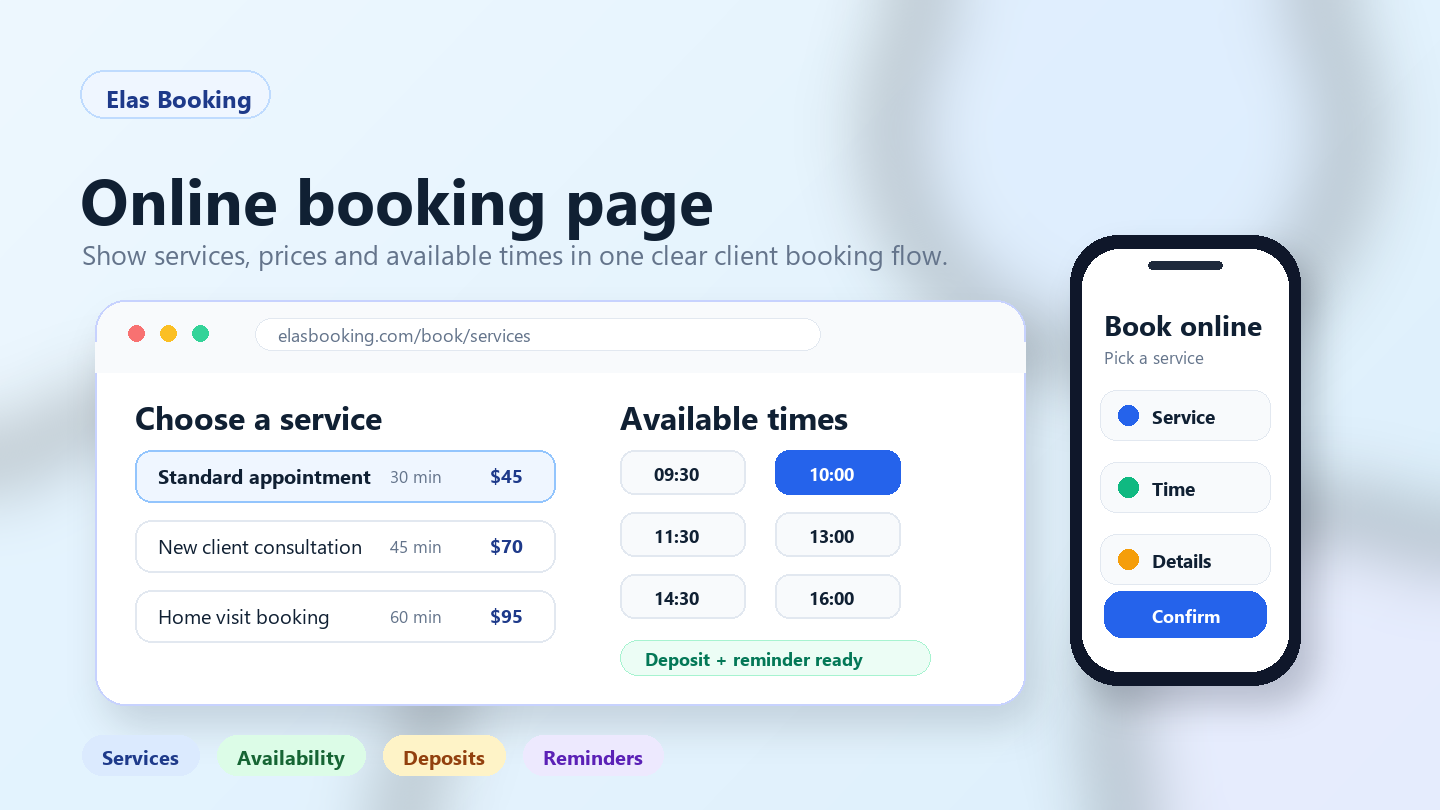
Elas Booking helps appointment-led businesses turn a planned service menu into a public online booking page where clients can choose services, see available times, enter useful booking details, and receive clearer confirmations and reminders.
Depending on the setup, Elas Booking can support:
- Public, mobile-friendly booking pages.
- Service names, descriptions, durations, prices, and categories.
- Deposits and online payments where configured.
- Service add-ons.
- Buffers before and after appointments.
- Custom intake questions and forms.
- Staff scheduling where enabled.
- Confirmations and booking reminders.
- Client records connected to bookings.
The menu still needs business judgment. The software can show the service options clearly, but the business must decide what each service includes, how long it really takes, which policies apply, and what clients need to know before booking.
Want to see how a planned service list becomes a client-facing booking flow? View the Elas Booking demo to review public booking pages, services, deposits where configured, add-ons, intake questions, reminders, and client-ready appointment details.
Related guides
FAQ
What should a booking service menu include?
A booking service menu should include service names, categories, descriptions, durations, prices or starting prices, deposit rules, buffers, add-ons, intake questions, staff or location rules where relevant, and cancellation or preparation notes. The client should understand what they are booking before choosing a time.
How many services should a small business list online?
List enough services for clients to choose accurately, but not so many that the menu becomes confusing. A solo barber may only need a few services. A salon, cleaning company, consultant, rental business, or trades company may need categories and a longer menu. If two services require different durations, prices, staff, or preparation, they may need separate menu items.
Should prices be shown on an online booking service menu?
Show a fixed price, starting price, range, or quote rule whenever price affects the client's decision. If the final price depends on review, property size, job condition, materials, or group size, explain what the starting price includes and when the final amount will be confirmed.
Should deposits be required for every appointment?
No. Deposits are most useful when they protect scarce time, preparation cost, travel, event work, rentals, premium services, or limited-capacity bookings. For quick or low-risk services, requiring a deposit may add unnecessary friction. If deposits are used, the rule should be visible before the client confirms.
How do buffers fit into a service menu?
Buffers protect time before or after the client-facing appointment. They can cover setup, cleanup, travel, notes, handover, room reset, or equipment preparation. The client may see a 60-minute service, while the business calendar blocks extra time around it.
What is the difference between a service menu and an intake form?
The service menu tells clients what they can book. The intake form collects details about the specific booking after the client chooses a service. A good menu reduces confusion before booking, while a good intake form helps the business prepare after the client selects the right option.
Final thought
A strong booking service menu is not just a list of appointments. It is the structure behind the booking experience: what clients can choose, how long each option takes, what it costs, what details you need, and what rules apply. Plan that structure first, then build the online booking page around it.
How this can look for service teams
Use these examples as a starting point for Booking Service Menu Template for Appointment Businesses and other professional services booking workflows.
Appointment-led examples
These anonymized scenarios reflect common setup patterns from appointment-led businesses.
A prepared consultation
A client books a meeting, but the business needs context before deciding the right slot, format, and follow-up.
Collect appointment goal, client context, preferred time, meeting format, follow-up need, or preparation note and keep client context attached to the booking.
A limited availability slot
A high-value appointment takes preparation time, so the business needs clear cancellation rules before the calendar is blocked.
Use deposits for high-value appointments, limited consultation slots, or work that needs preparation and send reminders with meeting time, preparation notes, rescheduling rules, and follow-up expectations.
Example booking form
A compact booking form should collect client context and scheduling details before accepting the slot.
Service
Booking Service Menu Template for Appointment Businesses consultation
Client context
Appointment goal, client context, preferred time, meeting format, follow-up need, or preparation note
Deposit
Recommended for high-value appointments, limited consultation slots, or work that needs preparation
Reminder
meeting time, preparation notes, rescheduling rules, and follow-up expectations
Deposit setup
Set the amount, refund window, and payment timing for high-value appointments, limited consultation slots, or work that needs preparation so clients understand the commitment before they confirm.
Automatic reminder
Send confirmation and reminder messages with meeting time, preparation notes, rescheduling rules, and follow-up expectations.
Calendar and travel buffer
Add availability rules, intake forms, reminders, and follow-up workflows around the booking so the calendar stays realistic.
Client record
Keep contact details, booking history, client context, forms, and follow-up context attached to the client record.
Booking checklist
- Confirm consultations, client details, availability, reminders, follow-up tasks, and recurring appointments before the slot is booked.
- Collect appointment goal, client context, preferred time, meeting format, follow-up need, or preparation note in the booking form instead of chasing it afterwards.
- Use deposits for high-value appointments, limited consultation slots, or work that needs preparation.
- Send reminders with meeting time, preparation notes, rescheduling rules, and follow-up expectations.
- Protect the calendar with availability rules, intake forms, reminders, and follow-up workflows.
Manual booking vs online booking
Manual booking
Messages, screenshots, payment links, and client context live in separate places.
Online booking
The service, client context, deposit, reminders, and calendar rules stay attached to one booking.
Common mistakes
- Letting clients book booking service menu template for appointment businesses without enough detail.
- Taking deposits for high-value appointments, limited consultation slots, or work that needs preparation without matching them to the booking.
- Sending reminders that miss meeting time, preparation notes, rescheduling rules, and follow-up expectations.
- Leaving availability rules, intake forms, reminders, and follow-up workflows outside the calendar.
When to require a deposit
Use deposits for high-value appointments, limited consultation slots, or work that needs preparation, especially when a late cancellation would create a meaningful loss.
Example cancellation policy
Clients can reschedule up to 24 hours before the booking. Deposits may be retained for late cancellations or no-shows.
Written by Elas Booking team
Written by the Elas Booking team, using product knowledge from appointment scheduling, online payments, reminders, client intake, service areas, and public booking pages for service businesses.
Reviewed by Elas Booking product team
Reviewed for practical accuracy against Elas Booking features including booking pages, deposits, reminders, client records, service menus, and calendar workflows.
Frequently asked questions
Quick answers for this booking workflow.
How do reminders reduce no-shows?
Reminders reduce no-shows by confirming the date, time, preparation notes, and cancellation rules before the booking. They give clients a clear prompt to attend, reschedule, or contact the business.
Should setup time be included in the calendar?
Yes. Setup, cleanup, travel, handover, and buffer time should be included where they affect availability so the calendar reflects the real working day.
What should a Booking Service Menu Template for Appointment Businesses booking page include?
A strong booking page should include services, duration, price or deposit rules, client questions, cancellation terms, contact details, and any preparation instructions.
Can Booking Service Menu Template for Appointment Businesses bookings collect client details?
Yes. Booking forms can collect contact details, appointment notes, addresses, preferences, and other information needed before the service is delivered.
Build a booking page for professional services
Turn this guide into a live booking page with services, reminders, and client details. Start a no-card trial and shape the setup around this kind of service business.