Appointment Deposit Policy Template for Service Businesses
Use this appointment deposit policy template to decide when to require deposits, explain cancellation rules, and protect service booking slots clearly.
On this page
An appointment deposit policy explains when a client needs to pay part of the price before a booking is confirmed, what the deposit holds, and what happens if the client cancels, reschedules, or does not attend. For service businesses, the policy should be clear enough for clients to understand before they choose a time.
Deposits can protect valuable calendar space, mobile travel time, limited rental inventory, group bookings, and appointments that require preparation. But a deposit policy should not feel hidden or punitive. It works best when the client sees the rule on the booking page, understands the cancellation window, and receives the same information in the confirmation and reminder.
This guide gives you practical deposit policy templates for service businesses, plus a checklist for showing the policy inside an online booking flow. It is general operational guidance, not legal advice. If your cancellation terms have legal, tax, consumer-rights, or regulated-industry implications, review the wording with a qualified adviser before publishing it.
What is an appointment deposit policy?
An appointment deposit policy is a short set of booking rules that answers four client questions:
- How much do I pay now?
- What does the deposit reserve?
- When is the remaining balance due?
- What happens if I cancel, reschedule, arrive late, or miss the appointment?
For the business, the policy helps protect time that is hard to refill at short notice. For the client, it should make the booking feel more certain, not more confusing.
If you are building a booking flow from scratch, start with the online booking page checklist first. The deposit policy is only one part of a clear booking page. Clients also need to see the service name, price, duration, location, availability, preparation notes, and any client details they must provide before the appointment.
When should a service business require a deposit?
A deposit usually makes sense when the appointment creates real cost or risk before the client arrives.
Consider requiring a deposit for:
- Long appointments that block a large part of the day.
- Weekend, evening, holiday, or peak-time slots.
- Mobile services that include travel time, parking, setup, or kit preparation.
- Bridal, event, party, group, or private bookings.
- Trades callouts, diagnostics, urgent visits, and jobs that need triage before arrival.
- Rentals, equipment hire, or other bookings that reserve limited inventory.
- Services where materials, room setup, staff, or preparation work must be arranged in advance.
- First-time clients or appointment types with a history of late cancellations.
Deposits are not only about preventing no-shows. They also help clients understand that the time slot is being held for them. That matters for appointment-led businesses where a missed slot cannot always be resold quickly.
For a product-focused overview, see the booking payment software with deposits page and the booking software with deposits guides.
When should you avoid a deposit?
A deposit can add friction. It should solve a specific business problem, not become a default rule for every appointment.
You may not need a deposit for:
- Short, low-risk appointments.
- Free discovery calls where the goal is to start a conversation.
- Repeat clients with a reliable history.
- Low-value services where payment friction would reduce bookings more than it protects time.
- Appointment types that can be refilled easily.
- Situations where local rules make deposits, refunds, or cancellation charges more complicated than the value they protect.
If a deposit feels too heavy for a service, use clearer confirmations, a stronger cancellation note, and better booking reminders and confirmations first. Sometimes the problem is not payment. It is unclear booking details, weak preparation notes, or an unrealistic calendar.
What every deposit policy should include
Keep the policy short, visible, and specific. Avoid long legal-style paragraphs on the booking page unless your industry requires them.
A practical appointment deposit policy should include:
- Deposit amount: the fixed amount or percentage due at booking.
- What the deposit does: for example, it reserves the appointment, visit, table, rental window, or provider time.
- Remaining balance: when and how the rest is paid.
- Cancellation window: how much notice clients need to give.
- Rescheduling rule: whether the deposit can move to a new appointment and how much notice is needed.
- Late arrival rule: what happens if the client is late and the service cannot be completed in full.
- No-show rule: what happens when the client misses the appointment without notice.
- Business cancellation rule: what happens if the business needs to change the appointment.
- Contact method: how the client should request a change.
The client should see this before they confirm. If your booking page asks for payment first and explains the rule later, the policy will feel unfair even if the wording is reasonable.
Copy-and-edit deposit policy template
Use this as a starting point and adjust it for your service, location, and legal requirements.
A deposit of [amount or percentage] is required to reserve your appointment. The remaining balance is due [at the appointment / before the appointment / on invoice]. If you need to cancel or reschedule, please contact us at least [notice period] before your appointment. Deposits may be moved to a new appointment when enough notice is given. Deposits may not be refundable for missed appointments, late cancellations, or no-shows. If we need to cancel or move your appointment, we will contact you as soon as possible and explain your options.
For a simple online booking page, you can shorten it:
A [amount] deposit is required to hold this booking. The remaining balance is due at the appointment. Please give at least [notice period] notice if you need to cancel or reschedule.
Use plain language. Replace placeholders with real values before publishing. If the policy differs by service, do not use one generic note for every booking.
Template for mobile services and home visits
Mobile appointments often need stronger deposit wording because the business may plan travel, parking, setup, and kit preparation before the visit.
A deposit of [amount] is required to reserve this mobile appointment. The deposit helps hold the appointment time, travel slot, and preparation time for your booking. The remaining balance is due [payment timing]. Please give at least [notice period] notice if you need to cancel or reschedule. Late cancellations or no-shows may mean the deposit cannot be refunded. Please make sure your address, access notes, parking details, and preparation information are correct before confirming.
This wording fits businesses such as mobile beauty providers, cleaners, home care teams, pet groomers, mobile nurses, and home-visit therapists. If mobile work is a large part of your business, review the mobile service booking guides and home visit booking workflows as well.
For example, a mobile makeup artist can pair this deposit wording with the booking-flow advice in online booking system for mobile beauty services.
Template for trades, repairs, and callouts
Trades and repair businesses often use deposits or callout fees to protect diagnostic time, travel, emergency slots, or visits that require specific preparation.
A [callout fee / deposit] of [amount] is required to reserve this visit. This covers the appointment slot and initial attendance. Repairs, parts, additional labour, or follow-up work may be quoted separately. Please provide accurate job details, address information, access notes, and photos where requested. If you need to cancel or reschedule, please contact us at least [notice period] before the appointment.
Use this only if it matches how the business actually charges. A diagnostic callout, emergency visit, repair quote, and full installation may need different wording.
For more examples, review the trades and callout booking workflows topic hub and relevant industry pages such as online booking system for plumbers.
Template for rentals, events, and group bookings
Rental and event bookings often need deposit rules because they reserve inventory, seats, tables, rooms, equipment, or staff time.
A deposit of [amount or percentage] is required to reserve this booking. The remaining balance is due [payment timing]. Your booking is not fully reserved until the deposit is received. If you need to cancel or change the date, please contact us at least [notice period] before the booking. Deposits may not be refundable for late cancellations, no-shows, unused rental time, or changes requested after the cancellation window.
This template can support equipment rental, venue bookings, private dining, classes, events, and group appointments. For related setup guidance, see rental booking workflows, online booking system for equipment rental, or the restaurant reservations booking guide.
Template for consultations and professional services
Not every consultation needs a deposit. But paid consultations, legal or tax appointments, strategy sessions, and specialist advisory calls may need payment commitment before the time is held.
A deposit of [amount] is required to reserve this consultation. The remaining balance is due [payment timing]. Please send any preparation notes, documents, questions, or links requested in the booking form before the appointment. If you need to cancel or reschedule, please give at least [notice period] notice so the time can be offered to another client.
For consultations, keep the wording calm. The goal is to protect a professional time slot, not make the client feel trapped. Intake questions and preparation notes often matter as much as the deposit itself.
How to choose the deposit amount
There is no single correct deposit amount. A good deposit is large enough to protect the booking but not so large that it creates unnecessary hesitation.
Common approaches include:
- Fixed amount: simple for services with similar prices, such as a standard consultation or callout.
- Percentage: useful for high-value services, long appointments, or variable group bookings.
- Full prepayment: sometimes appropriate for tickets, classes, rentals, or limited-capacity events.
- No deposit for trusted repeat clients: useful when the business wants stronger rules for new clients only.
When choosing the amount, consider the appointment value, preparation cost, cancellation history, travel time, and how easy the slot is to refill. Review the deposit alongside your service price, not separately.
If you use Elas Booking, deposits are configured at the service level, so the rule can match the service instead of applying one blanket setting. The guide to set up a business service covers price, duration, deposit, add-ons, address requirements, and buffer settings.
Where to show the deposit policy in the booking flow
The best policy is visible before the client confirms. Do not hide important payment or cancellation rules in a footer link that clients only find after a dispute.
Show the policy in these places:
- The service description for deposit-based services.
- The payment or deposit step of the booking flow.
- The booking confirmation message.
- Reminder messages before the appointment.
- Cancellation or rescheduling instructions.
- Any follow-up email for high-value or group bookings.
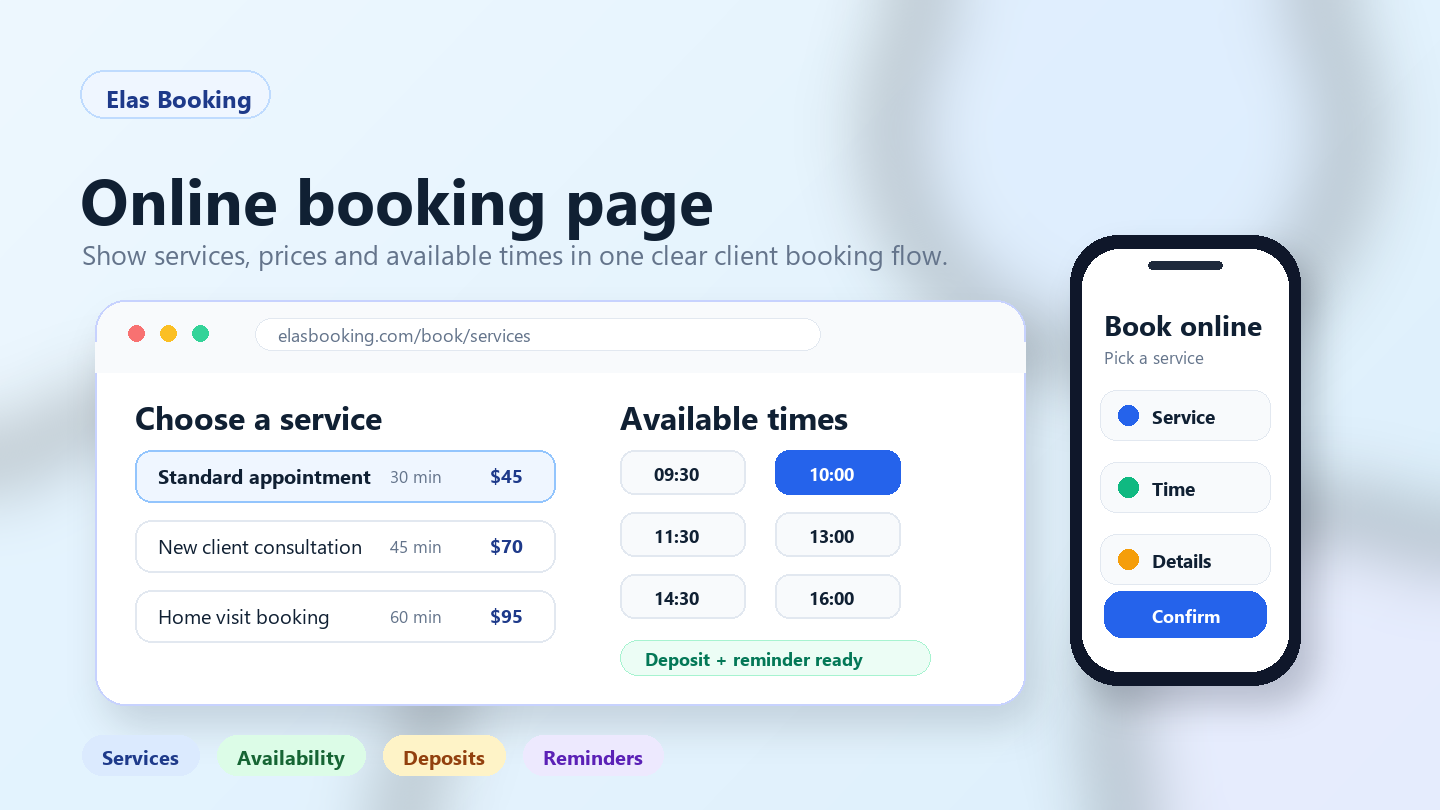
Clear online booking pages help because the client can see services, prices, times, forms, payment options, and confirmation details in one flow. If the booking page is vague, adding a deposit will not fix the confusion.
Connect deposits with reminders and client details
A deposit policy works better when the rest of the booking flow supports it.
Before turning deposits on, check that:
- Service names explain what the client is booking.
- Durations and prices are accurate.
- Availability reflects real working hours.
- Buffers cover setup, cleanup, travel, or admin time.
- Add-ons extend the appointment when needed.
- Client details are collected before the booking is accepted.
- Confirmations repeat the deposit and cancellation rule.
- Reminders tell the client what to prepare and how to request a change.
For example, a mobile beauty booking may need address details, parking notes, event time, skin notes, and a deposit. A trades callout may need job photos, property access notes, and a callout fee. A rental booking may need pickup time, return window, deposit, and handover notes.
Use reminders to repeat the useful parts of the policy, not to scold the client. A good reminder says what was booked, when it happens, what the client should prepare, and what to do if plans change.
Common deposit policy mistakes
Avoid these mistakes when writing your policy:
- Using vague wording: “Deposits may apply” does not tell clients what they need to pay.
- Hiding the rule until checkout: clients should see the deposit before they commit to a time.
- Applying deposits to every service: this can create friction where there is little no-show risk.
- Forgetting the remaining balance: clients should know what is due later and when.
- Changing rules manually after booking: the confirmation should match what was shown on the booking page.
- Ignoring rescheduling: clients need to know whether the deposit can move to another time.
- Writing like a legal contract on a simple service page: keep the operational summary readable, then link to full terms if your business needs them.
- Overpromising what deposits can do: deposits can reduce risk, but they do not guarantee attendance, revenue, or full calendar protection.
The policy should build trust. If the wording feels aggressive, clients may leave before booking.
Appointment deposit policy checklist
Use this checklist before publishing a deposit-based service.
Service setup:
- The service name is specific.
- The price and duration are correct.
- The deposit amount is visible.
- The remaining balance is explained.
- Add-ons and extra time are configured where needed.
- Buffers protect setup, cleanup, travel, or admin time.
Policy wording:
- The cancellation window is clear.
- Rescheduling rules are clear.
- Late arrival and no-show rules are clear.
- The client knows how to request a change.
- The wording is specific to the service type.
- Any legal or regulated-industry wording has been reviewed.
Booking experience:
- The policy appears before confirmation.
- Confirmation messages repeat the important rule.
- Reminders include the appointment details and change-request instructions.
- The booking flow works on mobile.
- The business has tested the public booking link as a client.
If you are preparing a full booking setup, combine this checklist with the online booking page checklist, booking reminders guide hub, and booking software with deposits guides.
Where Elas Booking fits
Elas Booking helps service businesses create booking pages, set up services, show prices and durations, use service-level deposit settings where enabled, collect online card payments when Stripe is connected, show manual payment instructions, send confirmations and reminders, collect client details, offer service add-ons, and add buffer time around bookings.
The most useful setup is service-specific. A haircut may not need a deposit. A bridal makeup booking, equipment rental, urgent repair callout, private event, or high-value consultation might. Set the rule where it matches the risk, then make it clear on the booking page.
To see the client flow before writing your own policy, view the Elas Booking demo. To compare which plan fits your service setup, review Elas Booking pricing.
Related guides
- Online booking page checklist for small businesses
- Booking software with deposits guides
- Booking reminders and confirmations
- Booking payment software with deposits
- Online booking pages for service businesses
- How to set up a business service
- Mobile service booking guides
- Trades and callout booking workflows
- Rental booking workflows
FAQ
Is an appointment deposit refundable?
It depends on the business policy, the service type, and any rules that apply in your location or industry. The important thing is to explain the refund and rescheduling rule before the client confirms. If the policy has legal implications, ask a qualified adviser to review it.
How much should an appointment deposit be?
Many service businesses use either a fixed amount or a percentage of the service price. The amount should reflect the risk you are protecting, such as preparation time, travel, limited inventory, or a high-value appointment slot.
Should every service require a deposit?
No. Deposits work best for services that block valuable time, need preparation, include travel, reserve limited inventory, or have a higher cancellation risk. For short or low-risk services, clear confirmations and reminders may be enough.
Where should I show my deposit policy?
Show the policy before the client confirms the booking. The most useful places are the service description, payment step, confirmation message, reminder message, and cancellation or rescheduling instructions.
Can reminders replace deposits?
Sometimes. If clients miss appointments because they forget or lack preparation details, better reminders may solve the problem. If the appointment also requires travel, preparation, scarce inventory, or expensive time, deposits may still be useful.
Can I use the same deposit policy for every service?
You can, but it is often better to make the policy service-specific. A consultation, mobile appointment, diagnostic callout, rental, and group booking may each need different deposit, cancellation, and rescheduling wording.
How this can look for service teams
Use these examples as a starting point for Appointment Deposit Policy Template for Service Businesses and other professional services booking workflows.
Appointment-led examples
These anonymized scenarios reflect common setup patterns from appointment-led businesses.
A prepared consultation
A client books a meeting, but the business needs context before deciding the right slot, format, and follow-up.
Collect appointment goal, client context, preferred time, meeting format, follow-up need, or preparation note and keep client context attached to the booking.
A limited availability slot
A high-value appointment takes preparation time, so the business needs clear cancellation rules before the calendar is blocked.
Use deposits for high-value appointments, limited consultation slots, or work that needs preparation and send reminders with meeting time, preparation notes, rescheduling rules, and follow-up expectations.
Example booking form
A compact booking form should collect client context and scheduling details before accepting the slot.
Service
Appointment Deposit Policy Template for Service Businesses consultation
Client context
Appointment goal, client context, preferred time, meeting format, follow-up need, or preparation note
Deposit
Recommended for high-value appointments, limited consultation slots, or work that needs preparation
Reminder
meeting time, preparation notes, rescheduling rules, and follow-up expectations
Deposit setup
Set the amount, refund window, and payment timing for high-value appointments, limited consultation slots, or work that needs preparation so clients understand the commitment before they confirm.
Automatic reminder
Send confirmation and reminder messages with meeting time, preparation notes, rescheduling rules, and follow-up expectations.
Calendar and travel buffer
Add availability rules, intake forms, reminders, and follow-up workflows around the booking so the calendar stays realistic.
Client record
Keep contact details, booking history, client context, forms, and follow-up context attached to the client record.
Booking checklist
- Confirm consultations, client details, availability, reminders, follow-up tasks, and recurring appointments before the slot is booked.
- Collect appointment goal, client context, preferred time, meeting format, follow-up need, or preparation note in the booking form instead of chasing it afterwards.
- Use deposits for high-value appointments, limited consultation slots, or work that needs preparation.
- Send reminders with meeting time, preparation notes, rescheduling rules, and follow-up expectations.
- Protect the calendar with availability rules, intake forms, reminders, and follow-up workflows.
Manual booking vs online booking
Manual booking
Messages, screenshots, payment links, and client context live in separate places.
Online booking
The service, client context, deposit, reminders, and calendar rules stay attached to one booking.
Common mistakes
- Letting clients book appointment deposit policy template for service businesses without enough detail.
- Taking deposits for high-value appointments, limited consultation slots, or work that needs preparation without matching them to the booking.
- Sending reminders that miss meeting time, preparation notes, rescheduling rules, and follow-up expectations.
- Leaving availability rules, intake forms, reminders, and follow-up workflows outside the calendar.
When to require a deposit
Use deposits for high-value appointments, limited consultation slots, or work that needs preparation, especially when a late cancellation would create a meaningful loss.
Example cancellation policy
Clients can reschedule up to 24 hours before the booking. Deposits may be retained for late cancellations or no-shows.
Written by Elas Booking team
Written by the Elas Booking team, using product knowledge from appointment scheduling, online payments, reminders, client intake, service areas, and public booking pages for service businesses.
Reviewed by Elas Booking product team
Reviewed for practical accuracy against Elas Booking features including booking pages, deposits, reminders, client records, service menus, and calendar workflows.
Frequently asked questions
Quick answers for this booking workflow.
How do reminders reduce no-shows?
Reminders reduce no-shows by confirming the date, time, preparation notes, and cancellation rules before the booking. They give clients a clear prompt to attend, reschedule, or contact the business.
What should a Appointment Deposit Policy Template for Service Businesses booking page include?
A strong booking page should include services, duration, price or deposit rules, client questions, cancellation terms, contact details, and any preparation instructions.
Can Appointment Deposit Policy Template for Service Businesses bookings collect client details?
Yes. Booking forms can collect contact details, appointment notes, addresses, preferences, and other information needed before the service is delivered.
Build a booking page for professional services
Turn this guide into a live booking page with services, reminders, and client details. Start a no-card trial and shape the setup around this kind of service business.